Automation with Claude Code
21 April 2026

A bit of a break since the last post. We’ve now gone all aboard the Claude Code hype train and we wish we had done it earlier. There was a fear for me on what it might do to my files (delete them erroneously etc.). The barrier has been bulldozed.
As a generalist commercial ops company this technology can empower people to go quicker at a cheaper cost, no doubt. There does need to be checks against exploring unproductive ideas as the cost to do so is much less. Although, the flip of this is that you can do this quickly.
Short Guide to Claude Code
The numerous article online explaining Claude Code, so I won’t provide a detailed guide.
You’re gonna need to either go to the Terminal or VS Code.
Install - npm install -g @anthropic-ai/claude-code
Then run claude by typing “claude” and authenticate with your Anthropic account.
Working Directory
Run claude from your project root (this is a fancy way of saying from a folder on your drive). It automatically reads all files, git state, and any CLAUDE.md in that directory.
Create a CLAUDE.md in your project root, or ask Claude to, it loads every session as persistent input into the LLM. There are CLAUDE.md global that sits wherever you installed Claude Code and CLAUDE.md that sits in specific folders when you are working on a particular project (with project specific knowledge). As a non-coder this is the type of relevant information I have put in
- Writing style and formatting rules
- Types of software I use regularly
- My job and company information
Run /init to auto-generate one from your codebase.
Plan Mode
Press Shift+Tab twice to enter Plan Mode. Claude reasons and outlines steps, instead of just building, without touching any files or running commands. Use it to review the approach before Claude executes.
Automation Scripts
Claude Code loves to create Javascript or Python scripts for automation. Only in the last two weeks it has help me create the following:
- A job portal scanner and pipeline builder
- CV generator to my exact style and formatting
- Infrographic generator with my branding
- Processing end of month company finance admin
- Automating my weekly shop
As you learn you get an idea of what can be used for different automations (e.g. Playwright for browser automation or Brave API for web searching).
Script Example - Job Portal Scanner
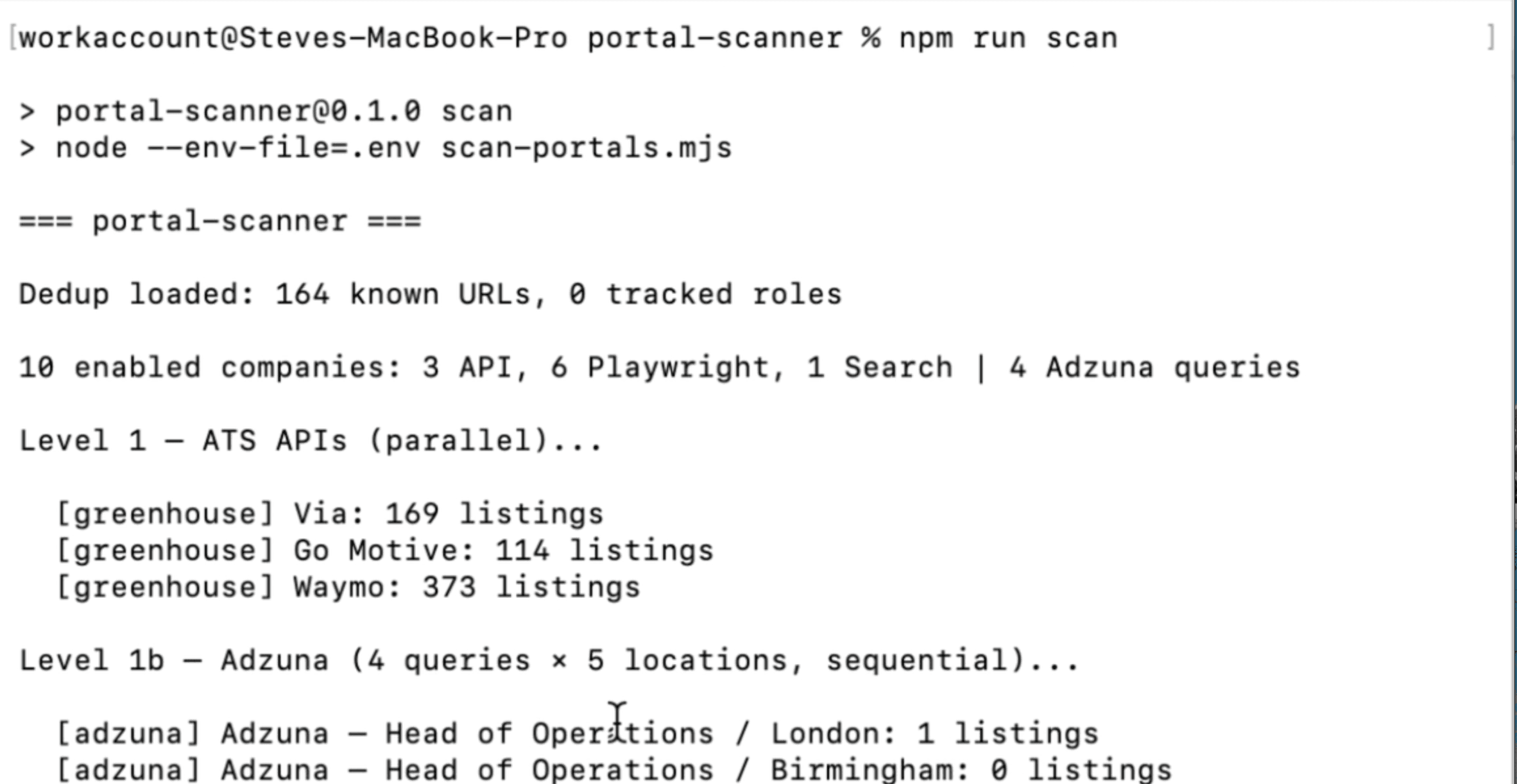
Many job adverts, particularly in tech, are done through an ATS (greenhouse, ashbyhq etc.) or posted on a careers page or on one of the major job platforms (LinkedIn, Indeed etc.). With claude’s help we made a script to scrape potential jobs. 3 levels:
Level 1a: ATS APIs (e.g Greenhouse) for specific companies.
Level 1b: Adzuna API (covers Indeed/Reed) for general job titles / key word search.
Level 2: Playwright visits specific careers boards at companies I am interested in.
Level 3: Brave Search its a set of words with the job title and site in a search engine.
The script then adds the roles as a pipeline in Notion (I connected Notion to Claude Code via integration). I update all my preferences in terms of job titles, keywords, and locations in a portals.yml file.
How can this change operations?
A blocker in operations has always been time to implement on the software side or time taken on non-value tasks (e.g. Data entry). Giving generalist ops talent the chance to develop solution quickly can give a big boost for time to deployment.
The business needs to think about how is can 1) Create a safe environment for these services to be used beyond just software development 2) How staff can be trained in the key skills needed for LLMs (Context, Prompting, and Critical thinking) 3) Encouraging a culture to work with this software.
Some Useful Links
https://anthropic.skilljar.com/
https://www.reddit.com/r/AskVibecoders/comments/1rxccg0/claude_code_101_beginers_guide/
https://www.reddit.com/r/ClaudeCode/comments/1rtesrr/what_noncode_things_do_you_use_claude_code_for/