Automating Web Form Filling - Train Ticket Alerts
10 March 2026
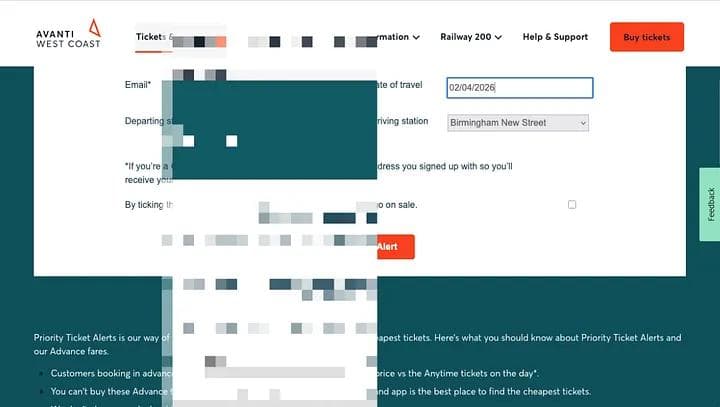
I wanted to create an app on my laptop to autofill the Avanti West Coast ticket alert form (https://www.avantiwestcoast.co.uk/tickets-and-savings/ways-to-save/ticket-alerts) every day. It’s a repetitive task, and I knew Python could handle it. Here is the story of how I built `autofill.py` using VS Code and the help of Gemini.
Step 1: Setting up the GeminiWorkspace
Before writing any code I wanted an isolated environment where the LLM could only access files I wanted it to. I had a conversation with Gemini to set up the Gemini CLI inside a Docker container called `GeminiSpace`.
I used Homebrew to get the necessary prerequisites installed on my machine (Docker, Gemini CLI, then downloaded Python and VS code on browser.
I chose Python mostly because of name recognition, not necessarily thinking it was the best language for the job.
Step 2 : Starting to prompt Gemini CLI to get the Python Script
This was my first prompt. I’d like to create an app on my laptop that will autofill this web form each day (https://www.avantiwestcoast.co.uk/tickets-and-savings/ways-to-save/ticket-alerts). I have VS Code where I can add my code files.
The biggest hurdle was the TrustArc cookie banner. It was blocking the script from seeing the form. We tried simple clicks, but eventually, Gemini identified that the banner lived inside an “iframe” (a website within a website) and helped me write a script to locate and click the “Accept all” button specifically within that frame.
To make the script reliable, I used the Firefox Inspect tool to find the exact names and ids of selector the website uses for the form.
Phase 3: Iterating the base code with Gemini CLI
With the cookies banner sorted, I switched to using the Gemini CLI*directly in my terminal to refine the script.
I asked Gemini to switch from `page.get_by_label` to `page.fill` using the selectors I found. I initially thought these were IDs (e.g., `#firstname`), but the script timed out. Gemini analyzed the error and realized they were Name attributes.
My script was trying to type into the station fields, but they were actually dropdown menus. Gemini updated the code to use `select_option`, allowing the script to choose “London Euston” directly from the list.
Typing the date triggered a calendar popup that obscured the form. Gemini added a logic step to press the `Enter` key immediately after typing the date to close the popup.
The “Opt-in” agreement box was refusing to tick. I provided the specific HTML (`id=”optin”`), and Gemini added a dedicated handler to force the check (`force=True`) even if other elements were overlapping.
Finally, we needed to hit the “Set your Alert” button. Gemini added a robust search that looks for the `type=”submit”` button across all frames to ensure the form is sent.
The Result
I now have a fully functional `autofill.py` that bypasses the cookie banner, finds form fields intelligently, and successfully submits my ticket alerts. This process showed me how powerful it is to have an AI assistant that can debug and refine code in real-time.
Why could this matter for operations?
For a functional operations team you'll need to create workflows to enable processes to function correctly. Often this will require exchanging information betwen different applications manually. At Zedify, our job application and onboarding process involved a lot of copying information from one application to another. Here was the process:
- Application would come in on TeamTailor.
- An email sent for screening call for Gmail.
- Screening call on a google meet.
- Candidates chosen for stage two and email sent to hiring manager. Gmail.
- Interview times chosen and interviews completed, further interviews if needed. Gsuite / Meet.
- Offer made in Gmail.
- All of the candidate details are added to the HR plaform e.g. name, phone number. This would involve emailing the candidate and copying from Team Tailer.
Every step required copying data from one system to another. This can be done by API if the systems have it. Without an API a good alternative would be to create scripts similar to above that would automate the data transfer. At Zedify we actually use Tallyfy to automate a lot of the process and reduce data input.